

Themes
To change the theme of a blog, first extract the content of the theme archive to the directory with the BlazeBlogger repository:
tar xfz theme_name.tar.gz
Then move the template file and the corresponding style sheet to .blaze/theme/ and .blaze/style/ respectively:
mv theme_name.html .blaze/theme/
mv theme_name.css .blaze/style/
Finally, change the configuration to use this theme:
blaze-config blog.theme theme_name.html
blaze-config blog.style theme_name.css
The changes take effect the next time you run the blaze-make command.
VectorLover 1.0
 A port of a free website template by styleshout.com. You are free to use and/or modify it for any purpose as long as you keep the link to the author's website in the credits.
Keep It Simple 1.0
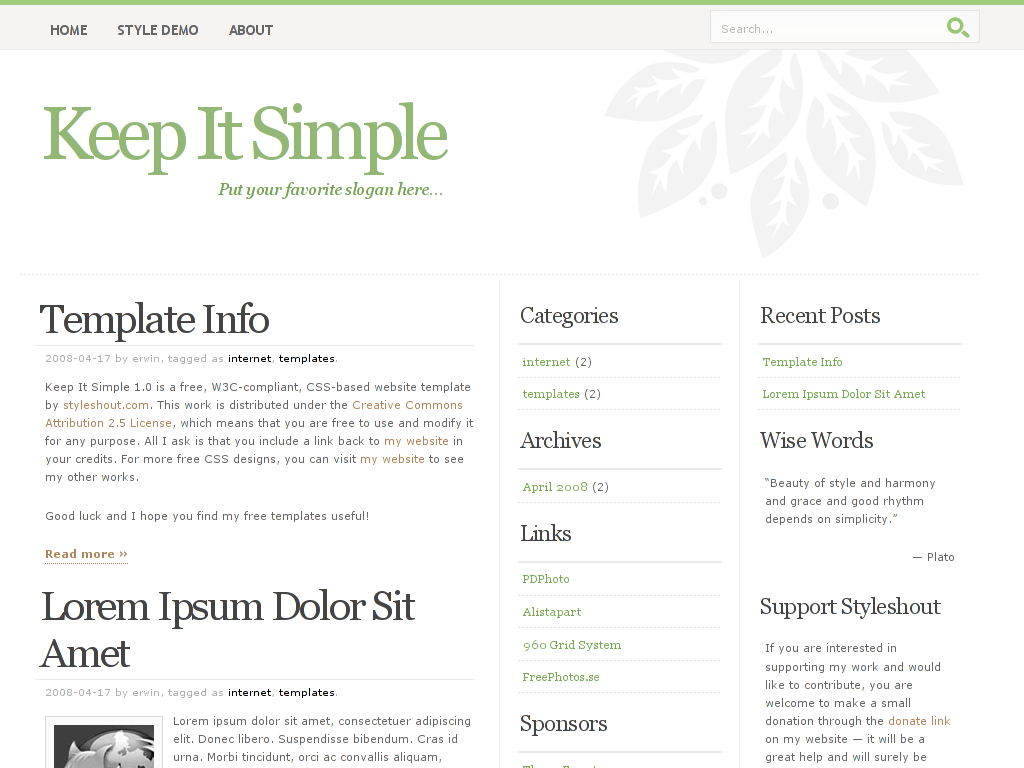 A port of a free website template by styleshout.com. You are free to use and/or modify it for any purpose as long as you keep the link to the author's website in the credits.
